Professional High Capacity ( 24000mAh, or 87Wh) External Battery with special connectors
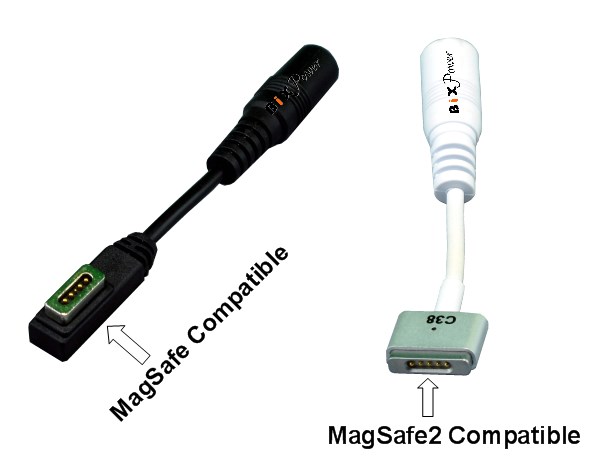
C28 &
C38 for AppleMacBook, MacBook Air & MacBook Pro computers.
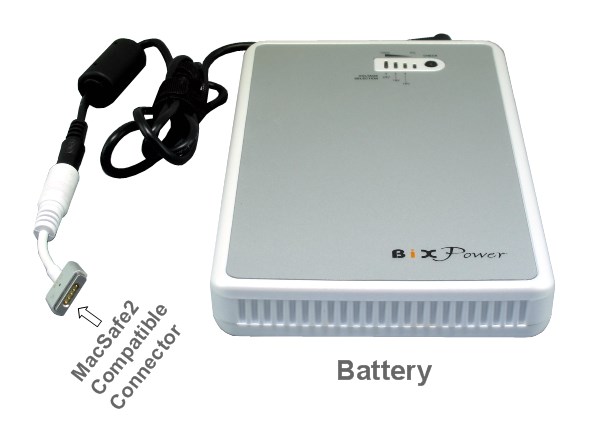
Battery
Features:
1.This battery has 3 output ports:
Output I is a 5V USB port which can be used to power or
charge cell phones, iPhone/iPod/iTouch, MP3/MP4 players, PDAs and any device
that can be charged from a USB port with the USB power cable included.
Add up to 30 hours or more extra running time for iPad.
Typical run time for iPhone:
Talk Time: Up to 70
hours
Internet Use: Up to 70 hours
Audio Playback: Up to 350 hours
Video Playback: Up to 100 hours
Port II output nominal voltage is 11.1V (Range from 9V ~
12.6V). It can supply power for many portable DVD players and digital photo
frames.
Port III can output 3 different regulated voltages: 16V, 19V, 24V.
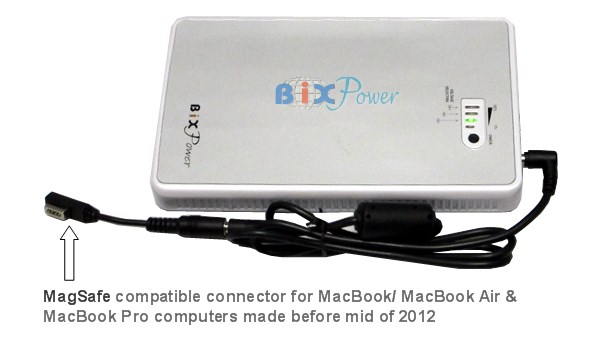
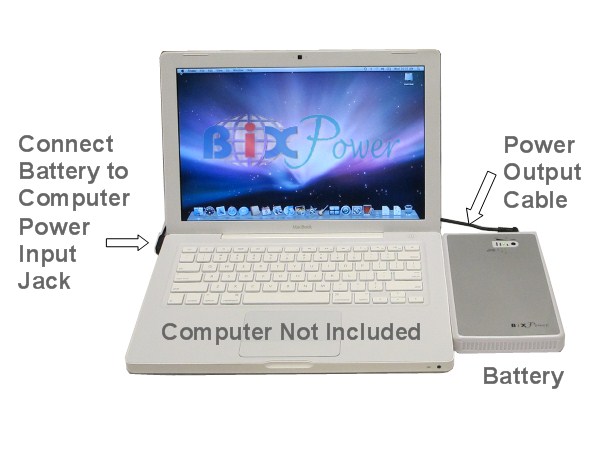
This port can be used to power Apple MacBook /MacBook Air /MacBook Pro computers with the output cable and special connector tip C28.
2. High Capacity, Long
Running Time:
Typical run time for iPad: up to 30 hours or more.
Typical run time for iPhone:
Talk Time: Up to 70 hours
Internet Use: Up to 70 hours
Audio
Playback: Up to 350 hours
Video Playback: Up to 100 hours
Typical
run time for MacBook laptops:
This battery capacity is 87 watt-hours. Most Apple laptop internal
battery capacity is 40 Watt-hour ~ 60 Watt-hour. In most case, this
battery can
double your Apple
laptop running time together with your internal laptop battery. For some small model, it may even
triple the running time.
It may add 10 ~ 20 hours running time for most Macbook computers.
Battery Specifications:
|
Model:
|
BP90
|
|
Capacity:
|
87 Watt-Hour
|
|
Battery Cell:
|
Samsung
Lithium-ion
|
|
Colors:
|
Silver
|
|
Acceptable Input Charging Voltage:
|
DC 12 - 24V
|
|
Output Ports:
|
3 Output Ports
|
|
Output Voltages:
|
Port I: 5V USB Port
Port II: Non-regulated, Nominal votage 11.1V, Range 9V ~ 12.8V
Port III: Regulated 16V, 19V or 24V selectable
|
|
Operation Current:
|
Port II & Port III Max. 3A ~ 3.5A
Port I USB Port Max. 2.1A
|
|
Charging time:
|
4-6 hours
|
|
Size:
|
186 x 114 x 22.5mm ( or 7.5" x 4.5" x 0.9")
|
|
Weight:
|
621g
|
|
Power Indicator:
|
4 level LED indicator
|
|
Built-in Protection Circuit:
|
- Over-charge
- Over-discharge
- Over current
-
Over temperature
- Short circuit protection
|
|
Included in Standard Package:
|
- Battery x 1 pc
-Port I Power Cable x 1pc
-Port II Power Cable x 1
pc
-Port III Power Cable x 1 pcs
-Other Optional Parts.
|
Standard package:
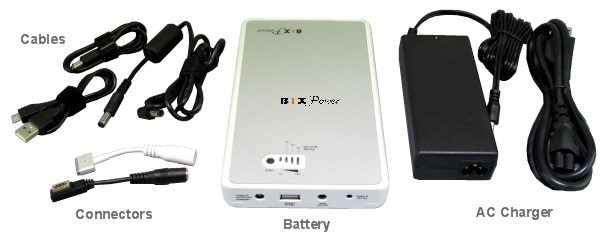
This
battery pack comes with a high capacity BP90 rechargeable lithium battery pack,
a battery AC charger, power output cables for 3 output ports. M1 special connector tip for iPad/iPhone, C28 MagSafe Compatible special connector tip for Macbook, Macbook Air & Macbook Pro computers made before 2012 and C38 MagSafe2 Compatible connector tip for Macbook, Macbook Air & Macbook Pro computers made after 2012.
How
to use the battery:
<1>Charge the battery:
This battery can be charged from 100V ~ 240V 50Hz/60Hz AC power source
with the battery AC charger:
You can also charge the battery from car cigarette lighter socket with
optional car
charger
.
<2>
Decide Battery Output Voltage:
The battery output voltage should close to your laptop power
adapter output voltage or laptop computer input voltage
|
|
|
|
Step 2a:
Refer to
the label on AC adapter for your notebook - to check the "Output" power.
|
Step 2b:
Refer to
the label stuck on the bottom of your notebook - to check the "power input"
requirement.
|
The battery Port III can
output 3 different regulated voltages: 16V, 19V, 24V.
This port can be
used to power Apple/ MacBook / MacBook Air/MacBook Pro with the output
cable and special connector tips C28 & C38 for Apple. Please set the port III output
voltage close to your laptop power adapter output voltage or laptop itself input
voltage.
Ifthe original power adapter has
45W (
14.5V) or 65W (16.5V) output,please select 16V output.
Ifthe original power adapter
has
85W or 18.5V output,please select 19V output.
There are 3 LED lights to indicate port III output voltages.
When you plug the output cord to the port III, one LED will light to show you
current active output voltage.

If you
want to change, just:
1. Press and hold the "CHECK" button for about 3 seconds.
2. One of the LED indicator will begin flashing.
3. Press and release the "CHECK" button, the flashing LED will jumper to
different voltage. When it jumps to the voltage you want, stop press the "CHECK" button
Wait about 5 seconds, the flashing LED will be gone and the voltage
selection has been confirmed. for laptop computers.
<3>According to output voltage, select Output Port and
Connector Tip:
Port I: 5V USB power output with USB cable can be used to power or charge
iPhone, iPdd, iThouch.
Port III: 16V ~ 24V DC output port with Output Cable
Z6. and different connector tips
.
*The Port III maximum
output power is around 65W. If
the
original power adapter is a 18.5V
85W
power adapter,
this battery may not be
able to charge internal battery and power
computer at same time. You may need to remove the internal battery
or
use the original power adapter to
fully charge the internal battery first when use the external battery.
Combine 2 ( or more) batteries together to provide more running time:
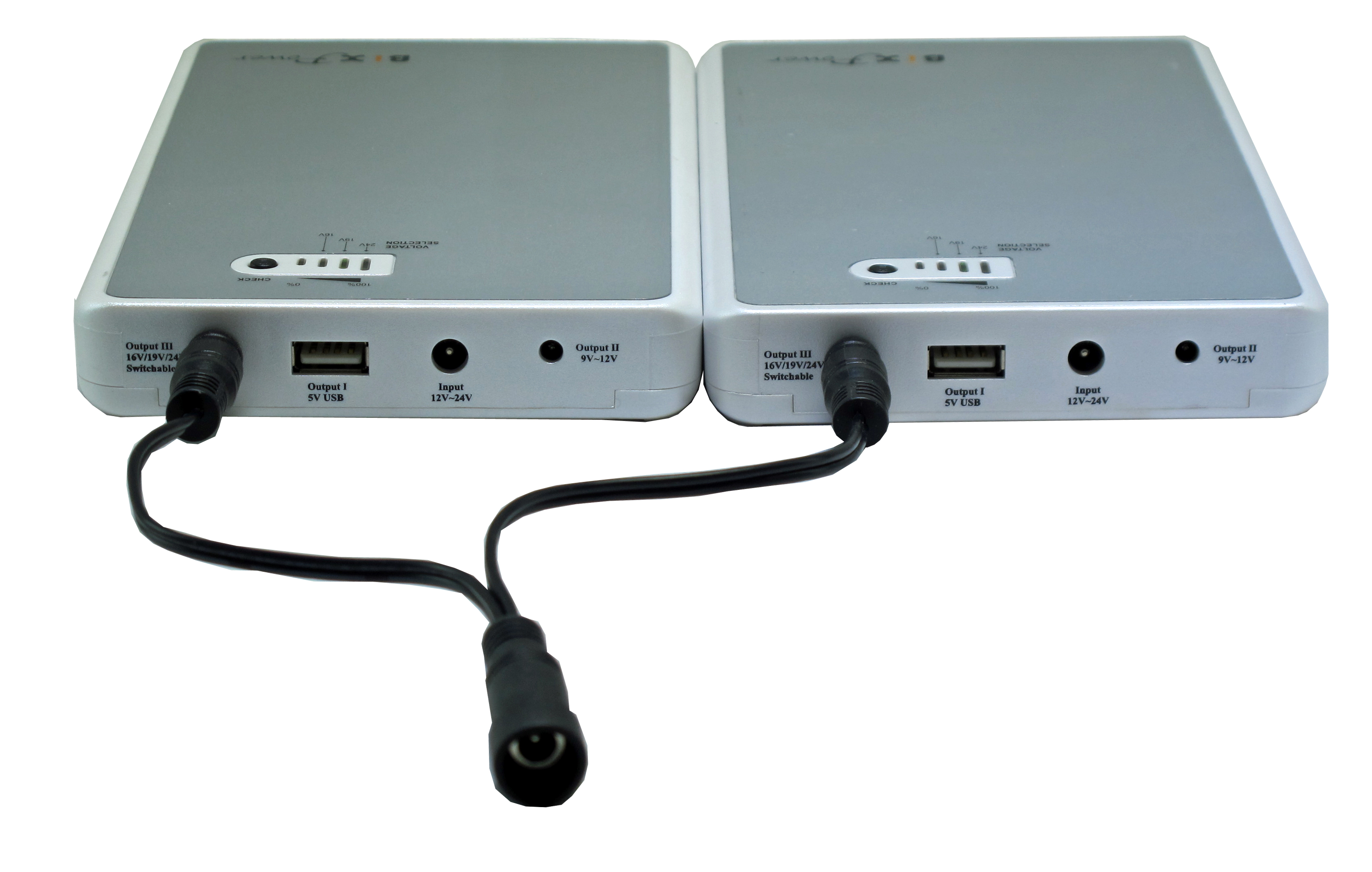
If you need more running time, you may connect 2 batteries together in parallel with BiXPower
Y25 Split Connector :
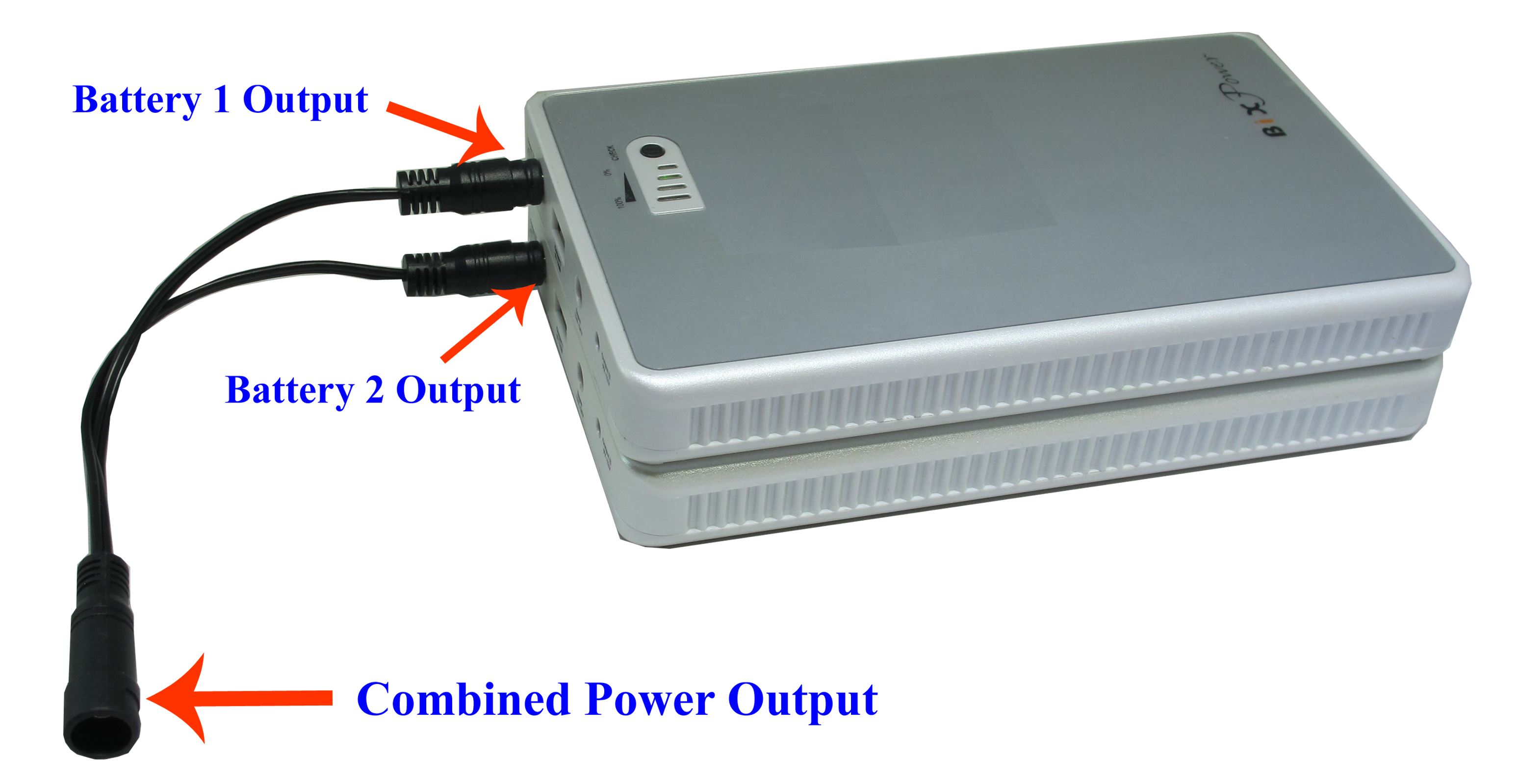
Y25 Split Connector Not Included
Cautions: To link two batteries in this way, please make sure:
1. The output voltage of two batteries is set at same.
2. Any single battery has ability to power the powered device by itself.The purpose of link two or more batteries together is to provide longer running time without interruption. There this no balance control between two batteries . One battery may output more power than another battery and run out of power earlier than another battery. This will not be a problem if a single battery output power is enough to run powered device. However, if the powered device power demand is more than a single battery capability, it may run to problem when one battery run out of power earlier.
Notes: Only a few BiXPower batteries ( such as BP90, BP100, BP160 and BP220 batteries) have been specially designed to allow multi batteries to connect in this way. Other batteries may not be allowed to be connected together in this way (unless specially mentioned).You may also use multi Y25 Split Connector to Daisy Chain more batteries to provide even more power. Please make sure all batteries output voltages are set at same. Fully charge each battery separately before connect them together.
The battery regular Z6 output cable can fit Y25 connector female end, which will be combined output port in this case. You may use BiXPower
Special Cable with On/Off Switch : which can be used power output cable directly without battery regular Z6 output cable.